
Convenience · Practical guide
FamilyMart
How to Order Famichiki, Self-Checkout & Tax-Free Tips
Prices, ordering steps, payment details, and common mistakes — in one place.
Quick Facts
Last checked against official information: 2026-11-10.
| Feature | Details |
|---|---|
| Japanese name | ファミリーマート (Famirimato) |
| Category | Convenience / Retail |
| Store Count | 16,466 stores across all 47 prefectures (30 September 2026) (Store Locator) |
| Ordering Style | Bring shelf items in a basket to a staffed register or self-checkout terminal; order counter hot snacks like Famichiki verbally at a staffed register |
| Membership Required? | No membership or ID required for general shopping |
| Approximate Price Range | Famichiki ¥248 tax-included (¥230 before tax), rice balls (omusubi) around ¥130–¥200, Famima Café starting around ¥120 (tax-included approximate prices) |
| Payment Methods | Varies by store; generally accepts cash (staffed registers), credit cards (Visa, Mastercard, JCB, Amex, Diners, UnionPay), transit IC cards, e-money (iD, QUICPay, Rakuten Edy, WAON), and QR/barcode apps (FamiPay, PayPay, d-barai, Rakuten Pay, au PAY, Alipay, WeChat Pay) |
| Multilingual Support | Varies by store; official visitor site, self-checkout screens, and in-store E-net ATMs support English, Simplified Chinese, Traditional Chinese, and Korean |
What it is
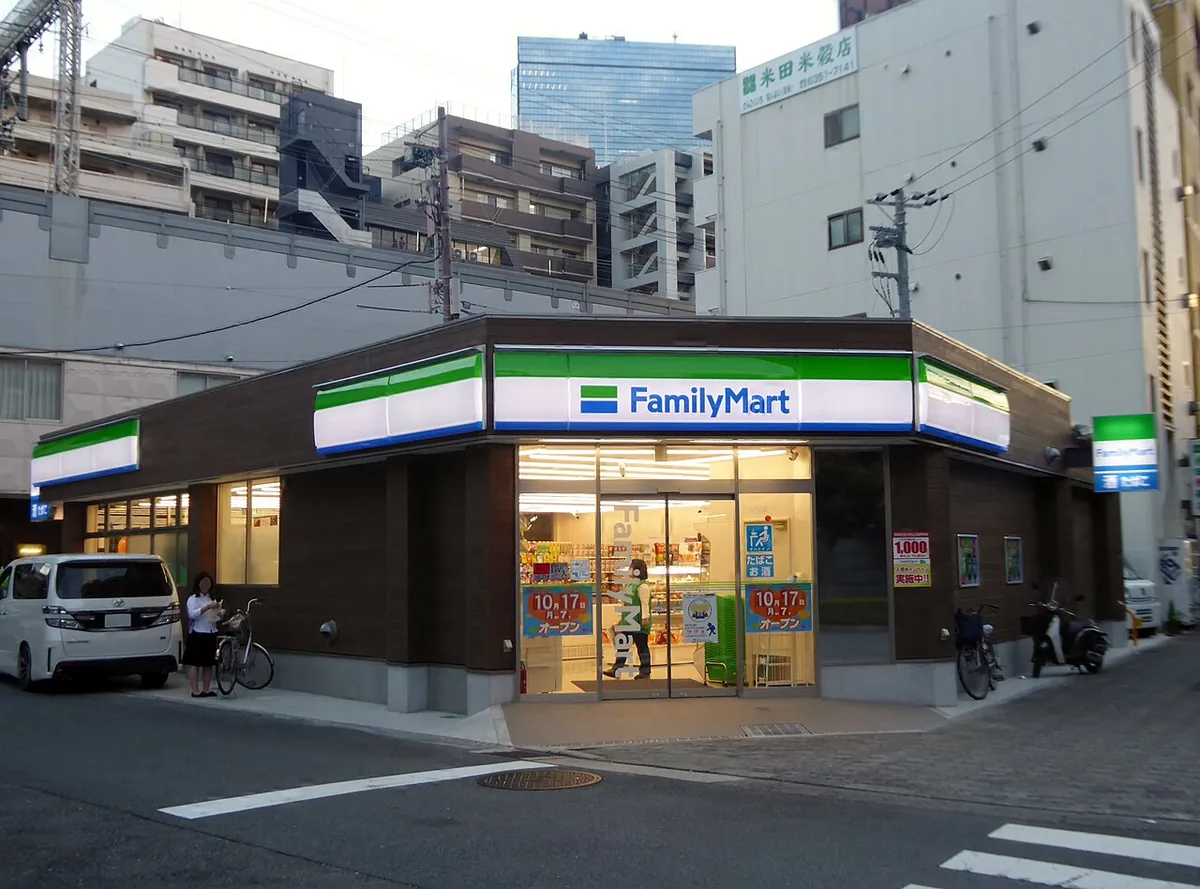
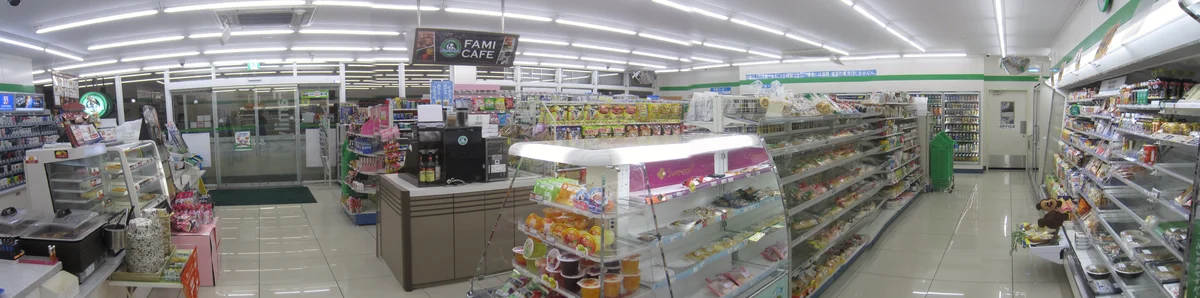
FamilyMart (ファミリーマート), operated by FamilyMart Co., Ltd. (an ITOCHU Group company), is one of Japan's "Big Three" convenience store chains with 16,466 stores across all 47 prefectures. Famous for its boneless fried chicken (Famichiki), Famima Café drinks, and its in-house Convenience Wear clothing line (such as striped socks and travel basics), it offers 24-hour convenience for travelers. Locations commonly feature international-card-compatible E-net ATMs and multi-copy machines, while select stores in tourist districts and airports provide tax-free shopping (Official Tax-Free Guide). With no membership needed and multilingual self-checkout and ATM screens, it is an easy everyday stop across Japan.
How to order
Shopping at FamilyMart differs slightly depending on whether you want hot counter food or are paying with cash versus cashless methods:
- Collect packaged items in a basket: Pick up rice balls (omusubi, around ¥130–¥200), drinks, snacks, or Convenience Wear essentials from the aisles.
- Choose the right register (Staffed vs. Self-Checkout):
- Go to a staffed register if you are paying with cash or ordering hot counter snacks like Famichiki (¥248 tax-included, ¥230 before tax). Most FamilyMart self-checkout machines are strictly cashless-only and cannot accept bills or coins.
- Use a self-checkout terminal if you are only buying barcoded shelf items and paying by credit card, transit IC card, e-money, or QR code payment. You can switch the self-checkout screen to English, Chinese, or Korean.
- Order Famichiki or Famima Café at the staffed counter: Ask the cashier verbally for Famichiki or hot snacks from the display case next to the register.
- Declare Eat-In before payment: If the store has an eat-in seating area and you plan to eat or drink inside, inform the staff (or select the eat-in option) before paying so the 10% consumption tax rate is applied instead of the 8% takeout rate.
- Scan and pay: Pay using your preferred method and collect your receipt.
What to order first
All items below are verified on the FamilyMart Official Website, the Official Hot Snacks & Delicatessen Page (regional availability varies by store):
- Famichiki (Signature Boneless Fried Chicken): FamilyMart's flagship juicy boneless fried chicken breast/thigh snack, priced at ¥248 tax-included (¥230 before tax), alongside variations verified on the Official Hot Snacks Page such as Famichiki (Red), Spicy Chicken, Crispy Chicken (Plain), and Famikara fried chicken pieces.
- Omusubi (Rice Balls): Pre-packaged rice balls with classic fillings priced around ¥130–¥200 tax-included.
- Famima Café (Coffee & Frappes): Self-serve freshly brewed hot and iced coffee and signature frozen frappes starting around ¥120 tax-included.
- Convenience Wear (Socks & Apparel Basics): FamilyMart's original line of socks, T-shirts, towels, and travel undergarments sold right in the convenience store aisles (verified on the FamilyMart Official Website).
Payment & practical info
Prices and details checked: September 2026.
- Tax-free — refund method: FamilyMart's official tax-free page now describes the refund method: pay tax-included, scan the receipt QR code to register your refund method, and receive the refund after customs confirmation at departure (before security/baggage check-in, within 90 days). The ~15-minute in-store procedure figure survives on the updated page. Source: FamilyMart Official Tax-Free Guide.
Payment acceptance and store facilities vary by individual location, so verify signage at the store or via the Official Store Locator:
- Accepted Payment Methods: Accepts cash (at staffed registers), major credit cards (Visa, Mastercard, JCB, American Express, Diners Club, UnionPay), transit IC cards, electronic money (iD, QUICPay, Rakuten Edy, WAON), and QR/barcode apps (FamiPay, PayPay, d-barai, Rakuten Pay, au PAY, Alipay, WeChat Pay).
- E-net ATMs & Multi-Copy Machines: In-store ATMs support overseas-issued bank and credit cards for yen withdrawals and feature multilingual screen switching. Multi-copy machines are also available for printing and copying.
- Wi-Fi & Power Outlets: The former Famima_Wi-Fi free wireless service has been discontinued. Power outlets are available only at select locations that have eat-in seating counters.
- Tax-Free Status: Available only at participating stores displaying the "TAX-FREE SHOP" mark (and may depend on the time of day) when eligible short-stay visitors spend ¥5,000 or more excluding tax on the same day (Official Tax-Free Guide). Keep these official rules in mind:
- You must present your physical passport with an arrival stamp—Visit Japan Web QR codes are not accepted.
- You pay the tax-included price, then scan the QR code on your receipt to register your refund method (such as a credit card). The refund is paid after customs confirmation at departure.
- The tax-free procedure takes approximately 15 minutes at the register — this figure survives on FamilyMart's updated refund-system page.
- Consumables (food, drinks, cosmetics, medicine, alcohol, tobacco) are no longer sealed in a special bag, but they cannot be consumed in Japan before departure or the refund for that receipt is lost. Complete customs confirmation (in the departure lobby, before security/baggage check-in) within 90 days of purchase, with all items in hand.
Good to know / Common mistakes
- Lining up at self-checkout with cash or for Famichiki: Most FamilyMart self-checkout kiosks are 100% cashless and cannot take yen notes or coins, nor can you order counter hot foods like Famichiki on them. Always use the staffed register line for cash payments or hot snacks.
- Buying a Famichiki or snacks tax-free to eat right away: Per FamilyMart's Official Tax-Free Rules, any food or beverage bought tax-free cannot be eaten inside Japan or the refund for that receipt is lost. If you want to eat your food during your trip, buy it normally with tax included.
- Trying to use a Visit Japan Web QR code for tax-free: FamilyMart's official FAQ explicitly states that Visit Japan Web QR codes cannot be used for identity verification or tax-free shopping; you must show your physical passport with an entry stamp.
- Not budgeting 15 minutes for tax-free paperwork: Official guidance notes that completing the tax-free procedure takes about 15 minutes, so avoid starting a tax-free transaction if you are rushing to catch a train or flight.
FAQ
Q1: How much is Famichiki and coffee at FamilyMart?, Famichiki costs ¥248 tax-included (¥230 before tax), rice balls (omusubi) are around ¥130–¥200, and Famima Café drinks start around ¥120 (all approximate tax-included prices).
Q2: Can I pay with cash at FamilyMart's self-checkout machines? In most stores, no. The majority of FamilyMart self-checkout terminals are cashless-only (accepting credit cards, transit IC cards, e-money, and QR apps). If you want to pay with cash—or order hot counter foods like Famichiki—join the line for a staffed register.
Q3: Can I use my Visit Japan Web QR code for tax-free shopping at FamilyMart? No. According to FamilyMart's Official Tax-Free FAQ, Visit Japan Web QR codes are not accepted. You must present your physical passport showing a valid entry stamp and have been in Japan for less than 6 months under an eligible short-stay status.
Sources
- FamilyMart Official Website: https://www.family.co.jp/ (Verified: 2026-09-13)
- FamilyMart Official Tax-Free Shop Guide: https://www.family.co.jp/services/other/taxfree.html (Verified: 2026-09-13)
- FamilyMart Official Store Locator: https://store.family.co.jp/ (Verified: 2026-09-13)
- FamilyMart Official Hot Snacks & Delicatessen Information: https://www.family.co.jp/goods/safety/friedfoods.html (Verified: 2026-09-13)